Take the report with you.
Export a PDF with the inspection photos and AI findings to discuss with a contractor or keep for your records. You choose where to save or share it.

A stain on the ceiling. A crack in the wall. A drip under the sink. Take a photo to explore the likely cause, an estimated cost range, and whether to bring in a pro.
2 free AI-assisted inspections. No account needed.
iPhone (iOS 17+) and Android (8.0+).
AI estimates can be wrong. RepairLens is not an inspection or a safety assessment; consult a qualified professional for safety-critical issues.
From “what is that?” to “what next?”
Start with what you can see. RepairLens organizes the details into a report you can revisit.
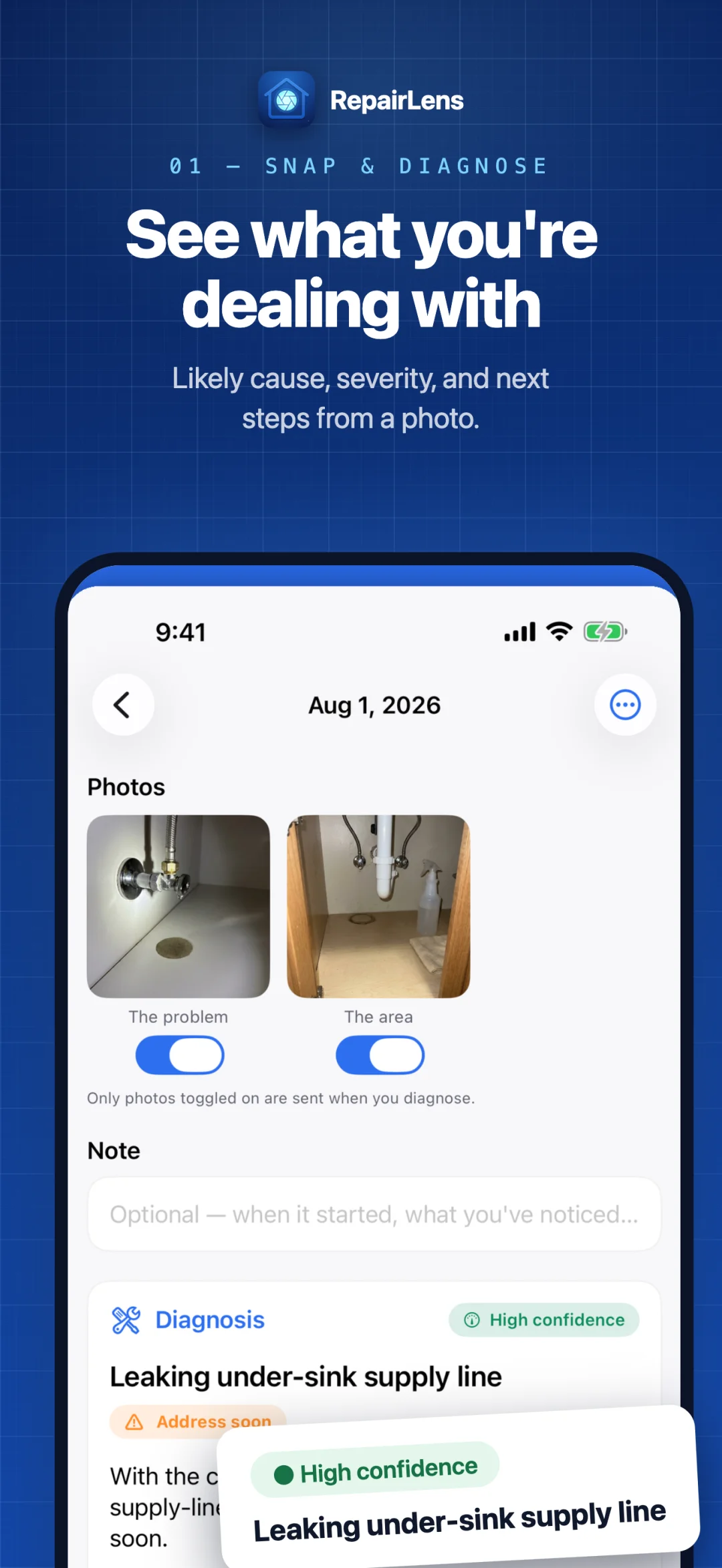
Take a close-up. Add an optional wider view or appliance-label photo to give the AI more context.
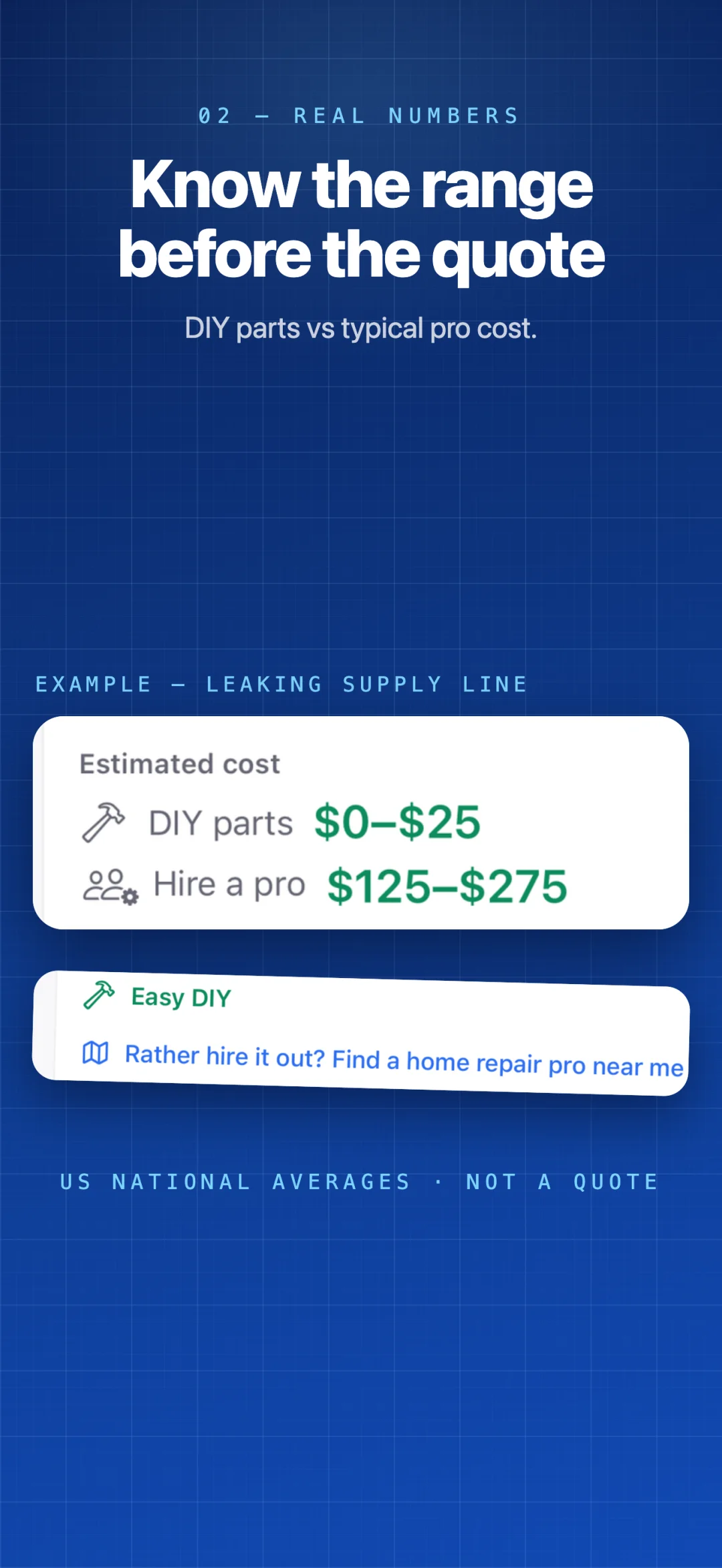
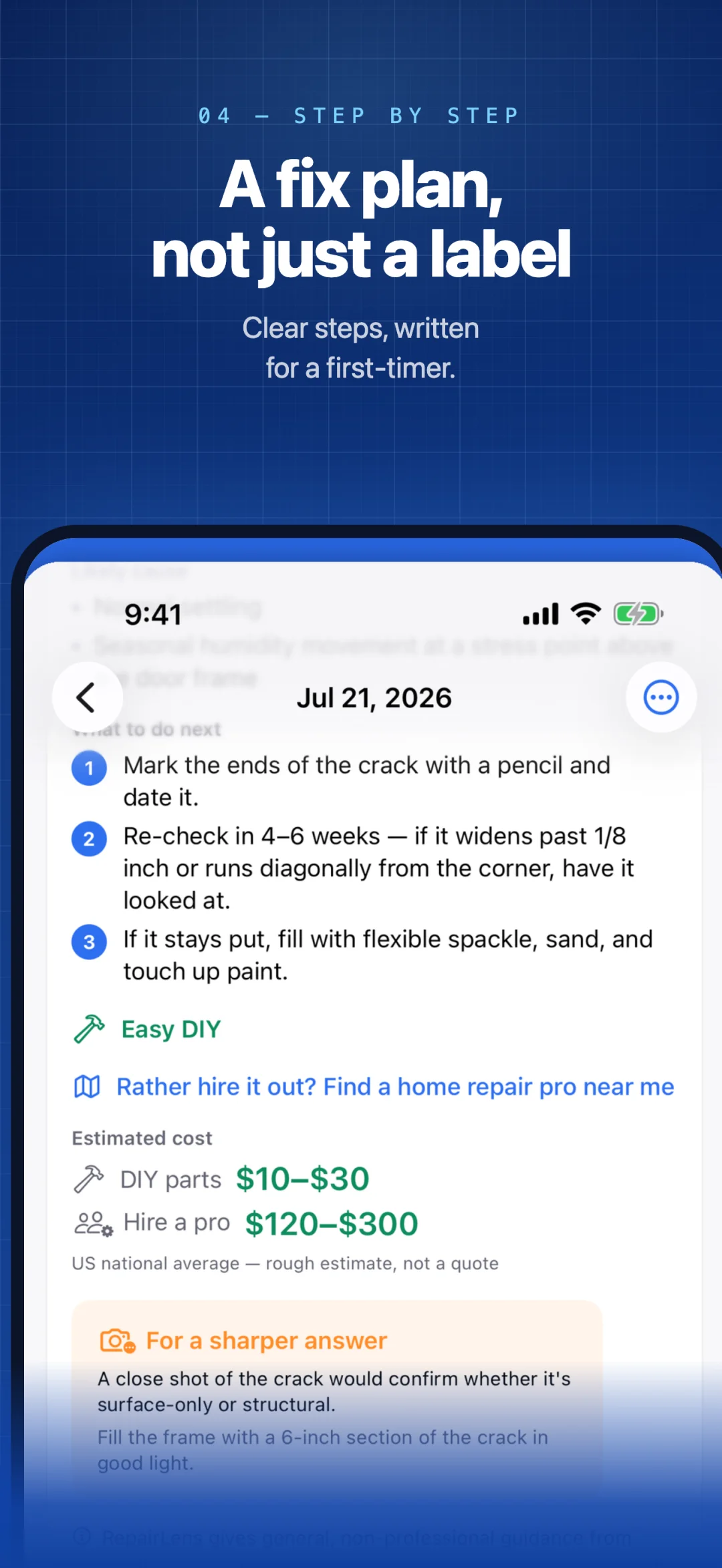
See a likely cause, severity level, ordered action plan, and broad DIY-versus-pro cost range. These are AI estimates, not an on-site assessment.
Save the inspection, ask a follow-up question, or search maps for the suggested trade. Re-diagnose the issue when conditions change.
Photos you choose to diagnose are sent to Google's AI service after location metadata is removed. AI features need an internet connection.
Inside RepairLens
Diagnosis, estimated costs, safety guidance, an action plan, and a repair log in one place.
Published iPhone previews; Android screens differ. Scroll to see all five, or open any image full size in a new tab.
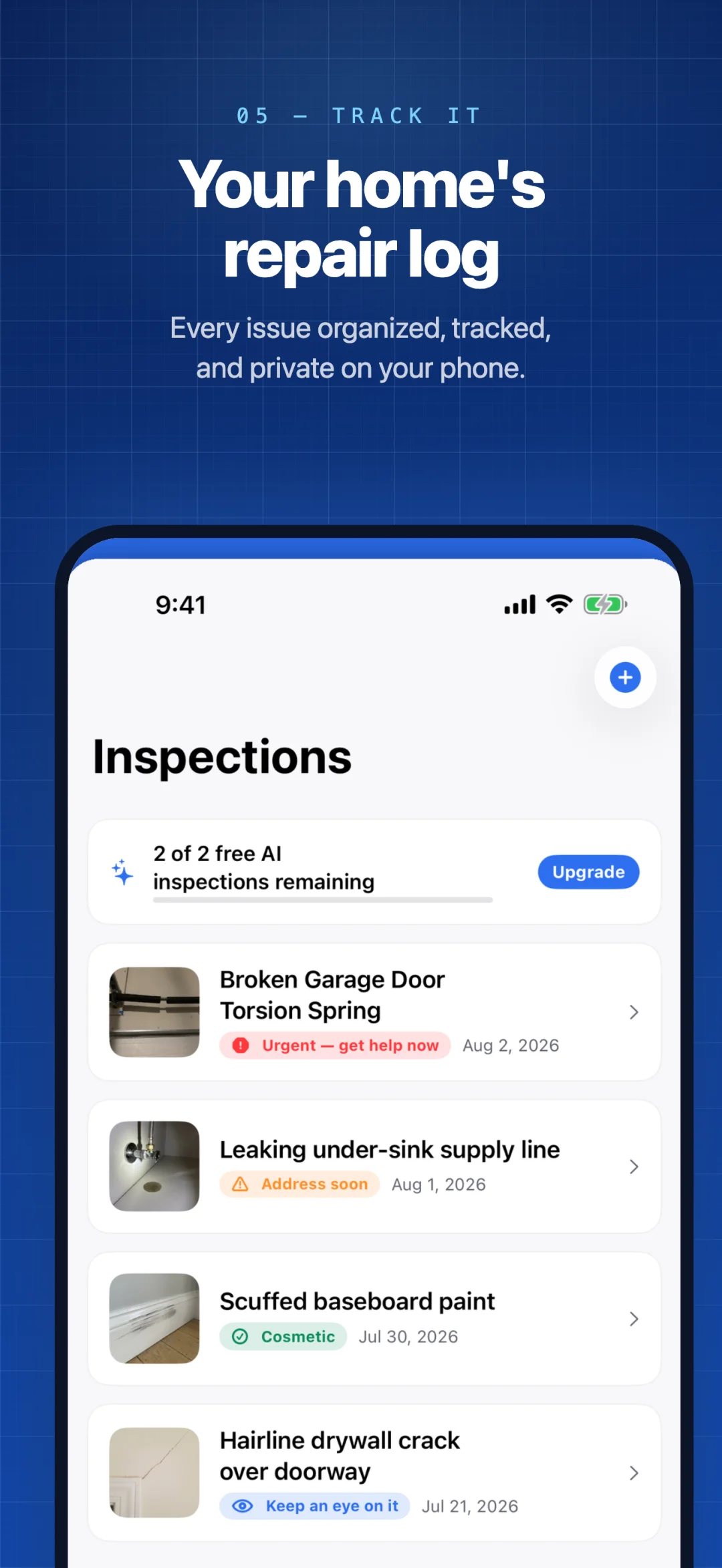
Useful beyond the first answer
Export a PDF with the inspection photos and AI findings to discuss with a contractor or keep for your records. You choose where to save or share it.
Open a search for the suggested trade in Apple Maps on iPhone or your maps app on Android. RepairLens does not request your location; the maps app controls its own permissions.
Photos and history live in private app storage. Turn on Privacy Lock to require supported device biometrics or your device passcode before opening the app.
Know the limits
A photo cannot reveal everything a qualified professional would find in person.
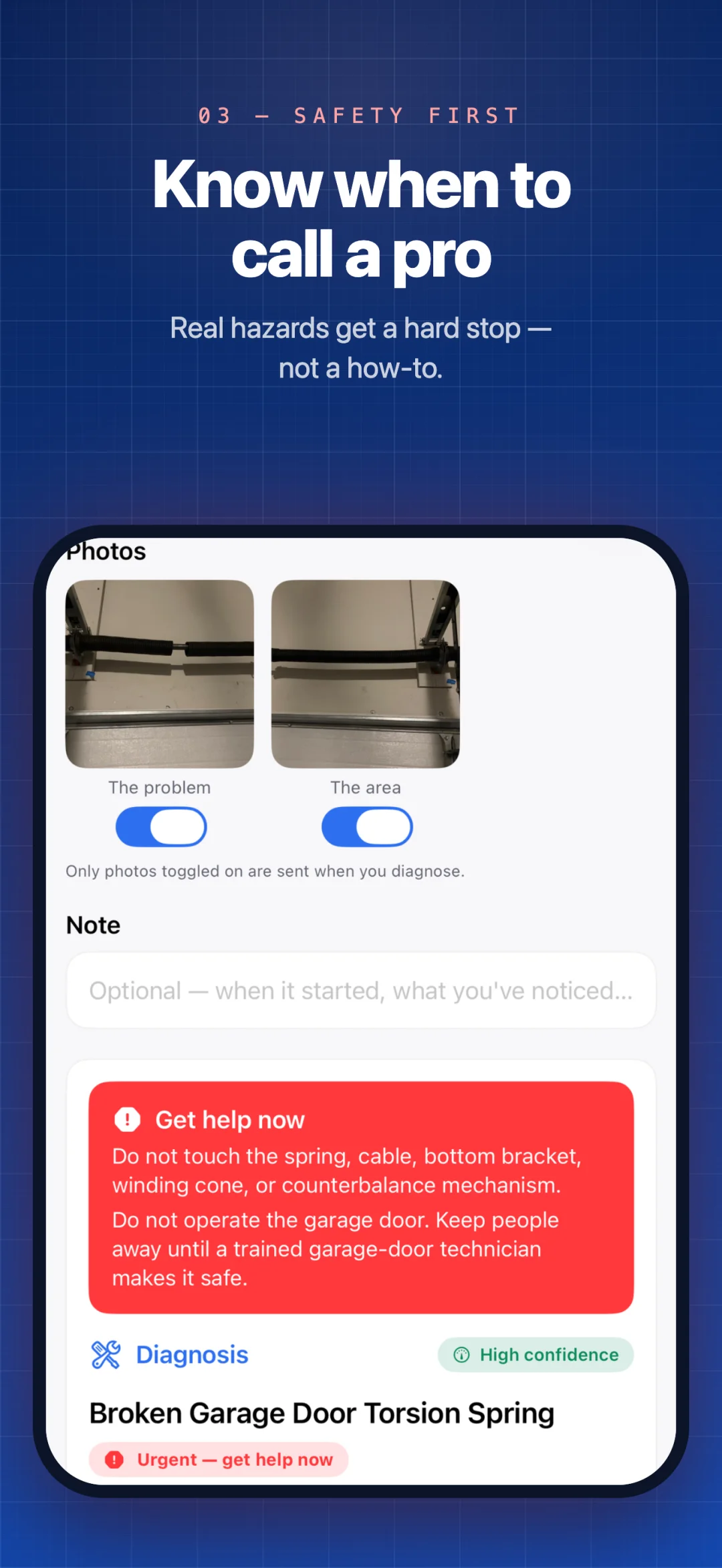
When the AI output identifies a covered gas, electrical, structural, major water or sewage, mold, asbestos, or high-tension garage-door hazard, RepairLens's app-owned guard forces an urgent get-help-now warning and qualified-professional guidance instead of DIY steps.
Recognition from photos is best effort and may miss a hazard. Do not rely on the app for a safety-critical decision. It is not a substitute for a licensed contractor, home inspector, electrician, plumber, or other qualified professional.
Start with the next thing on your list
Free
Your first 2 AI-assisted inspections are free, and only a diagnosis successfully saved in the app uses one. Failed or cancelled analyses do not consume one.
Keep unlimited local inspection reports. Severity, cost estimates, map searches, basic text sharing, and Privacy Lock are included.
RepairLens Pro
Unlimited AI diagnoses and follow-up chat, subject to reasonable abuse and service-availability protections, plus PDF report exports.
Monthly and yearly plans, with a 7-day free trial for eligible subscribers. Your store shows current local prices, trial eligibility, and renewal terms before purchase.
Subscriptions renew automatically until cancelled through the original store. Restoring requires the same store account; purchases do not transfer between the App Store and Google Play. Purchase and cancellation help.
Your house is your business
No behavioral analytics, ads, or cross-app tracking. Photos and history are stored on your device. AI diagnosis, follow-up chat, optional content reports, and any reports you share are separate actions you choose.
Anonymous subscription, integrity, and limited service-diagnostic information may be processed automatically. The privacy policy explains each off-device flow.
Read the privacy policyA few things to know
No. Severity, likely cause, repair steps, and cost ranges are AI-generated estimates and can be wrong. RepairLens is informational only. Always consult a qualified professional for any issue that could affect safety.
No. The cost ranges are broad estimates, with US national-average examples in the store previews. Actual prices vary with location, materials, access, and the contractor. Get a local quote before budgeting for a repair.
Your inspection history is stored on your device. When you tap Diagnose, photos are sent to Google’s AI service with location metadata removed; this content is not used to train its AI models without permission. You can also choose to export and share a report. There is no automatic photo upload or sync.
Yes. Basic text sharing is included free. Pro adds a PDF report with photos and AI findings. Choose a destination in the system share sheet, and review what you are sharing first. Exported copies are outside the app’s local deletion controls.
RepairLens is available on the App Store for iPhone with iOS 17 or later, and on Google Play for Android 8.0 or later. The layout and available device authentication methods depend on your platform.
Start with 2 free AI-assisted inspections on iPhone or Android.